Improving the Post-Purchase eSIM Activation Experience
project type
B2C eSIM Activation Experience
Timeline
Overall: 6 Months
Research & Discovery: 2 months
Ideation & Design: 3 months
Dev Handoff: 1 month
team
UX/UI Designer
Product Owner
Customer Support
3 Developers
1 QA
My role
UX/UI Designer
Overview
While purchasing an eSIM plan was simple, many users struggled to successfully activate it after purchase. The activation process required navigating device settings, which often led to confusion and support requests.
This project focused on redesigning the post-purchase experience to help users complete installation and configuration successfully.
01 /
Where The problem lives
The eSIM activation journey continues after purchase. Users must install the eSIM profile and configure their device settings before they can connect to the network. Many of these steps occur inside the phone's operating system rather than inside the product interface. Because of this, users frequently switched between the website and device settings, creating confusion about when the installation process was complete.


Business impact
Higher support cost
Activation-related tickets were the #1 post-purchase support category, averaging 2.4 interactions per case.
Lower activation reliability
A subset of users who installed correctly never activated successfully, affecting measurable first-session data usage.
Retention risk
Failed first-use experiences correlated with elevated refund requests and negative app store reviews mentioning "didn't work.
02 /
Signals from customer support
Customer support teams reported recurring activation issues after purchase. Many users contacted support, saying their eSIM was installed, but they were unable to connect to the internet. These signals suggested that installation instructions alone were not enough. Users needed clearer guidance to understand the full activation process.
"I followed all the steps but I still can't connect to the internet. Is my eSIM broken?"
Installation Confusion
"Where do I find the roaming toggle? The instructions say to enable it but I can't find it."
Settings Navigation
"I installed the eSIM but nothing changed. How do I know if it worked?"
Feedback Gap
"Do I need to switch my data line? I'm confused about which setting to use."
Configuration Uncertainty
03 /
Designing for a System We Don't Control
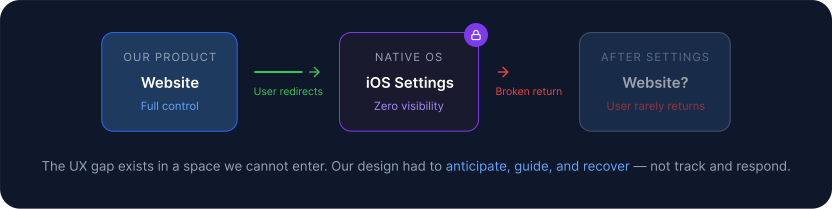
The most challenging aspect of this project was that the installation process occurs inside the phone’s system settings.
These environments are outside the product interface, which means we cannot control how the installation flow behaves or track user actions directly.
Instead, the design needed to guide users through external steps while maintaining clarity and confidence throughout the process.
- Track behaviour inside settings
- Redirect users back automatically
- Verify correct configuration
04 /
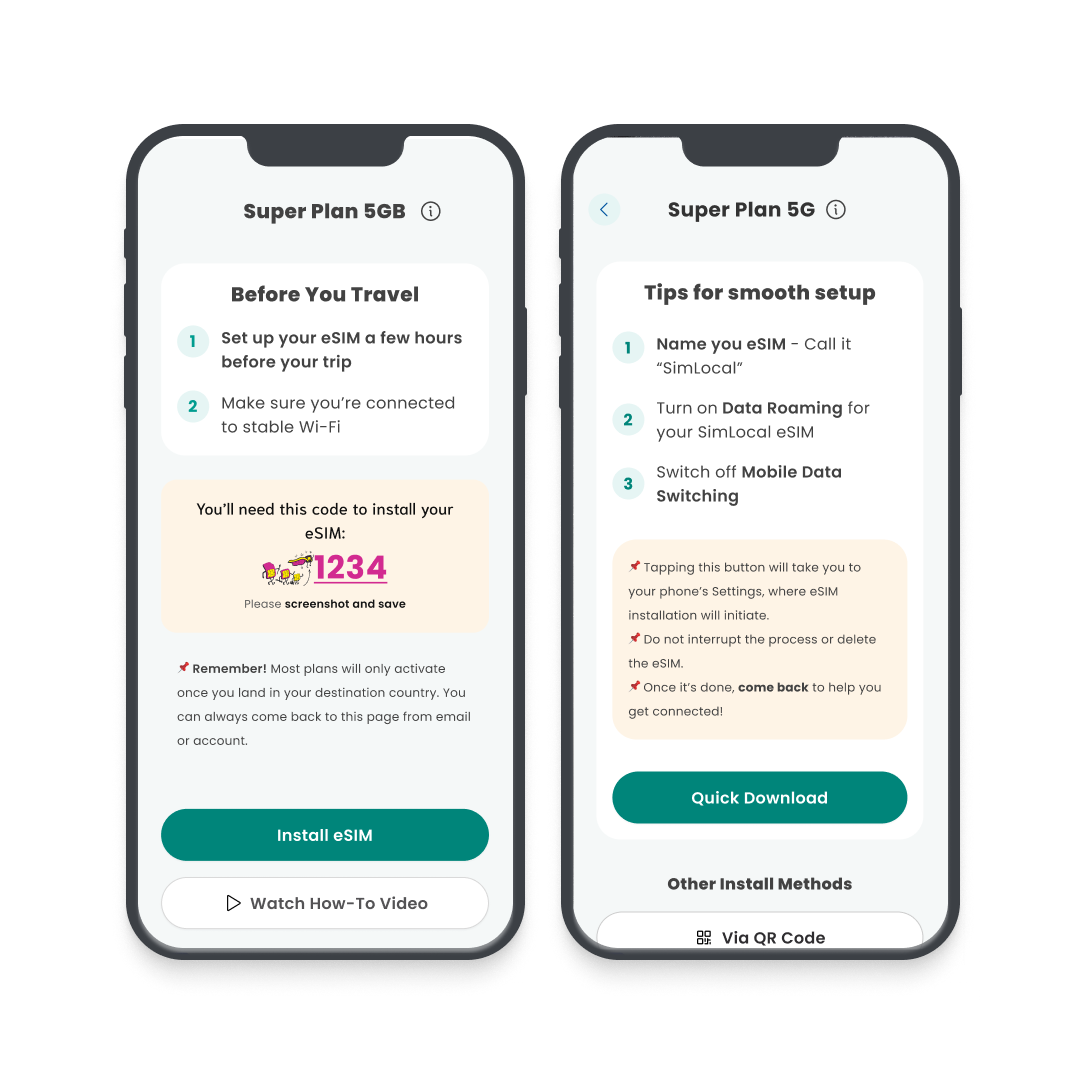
Original Solution
The initial approach focused on providing detailed written instructions explaining how to install and configure the eSIM. While technically correct, this approach relied heavily on users reading and interpreting instructions carefully.



05 /
Turning One Design Into Two Testable Hypotheses
Instead of refining the existing design, I explored two different approaches to activation guidance.
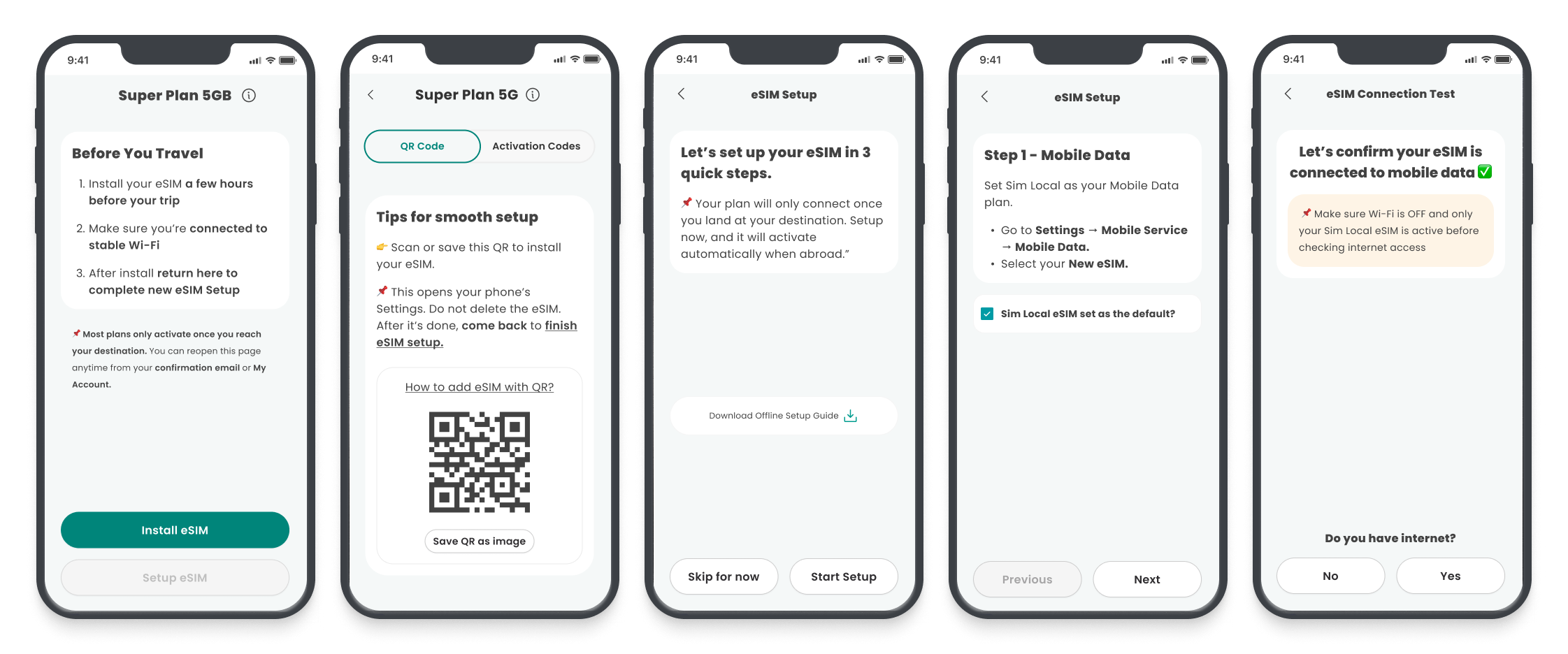
Prototype A focused on speed and condensed instructions for experienced users.
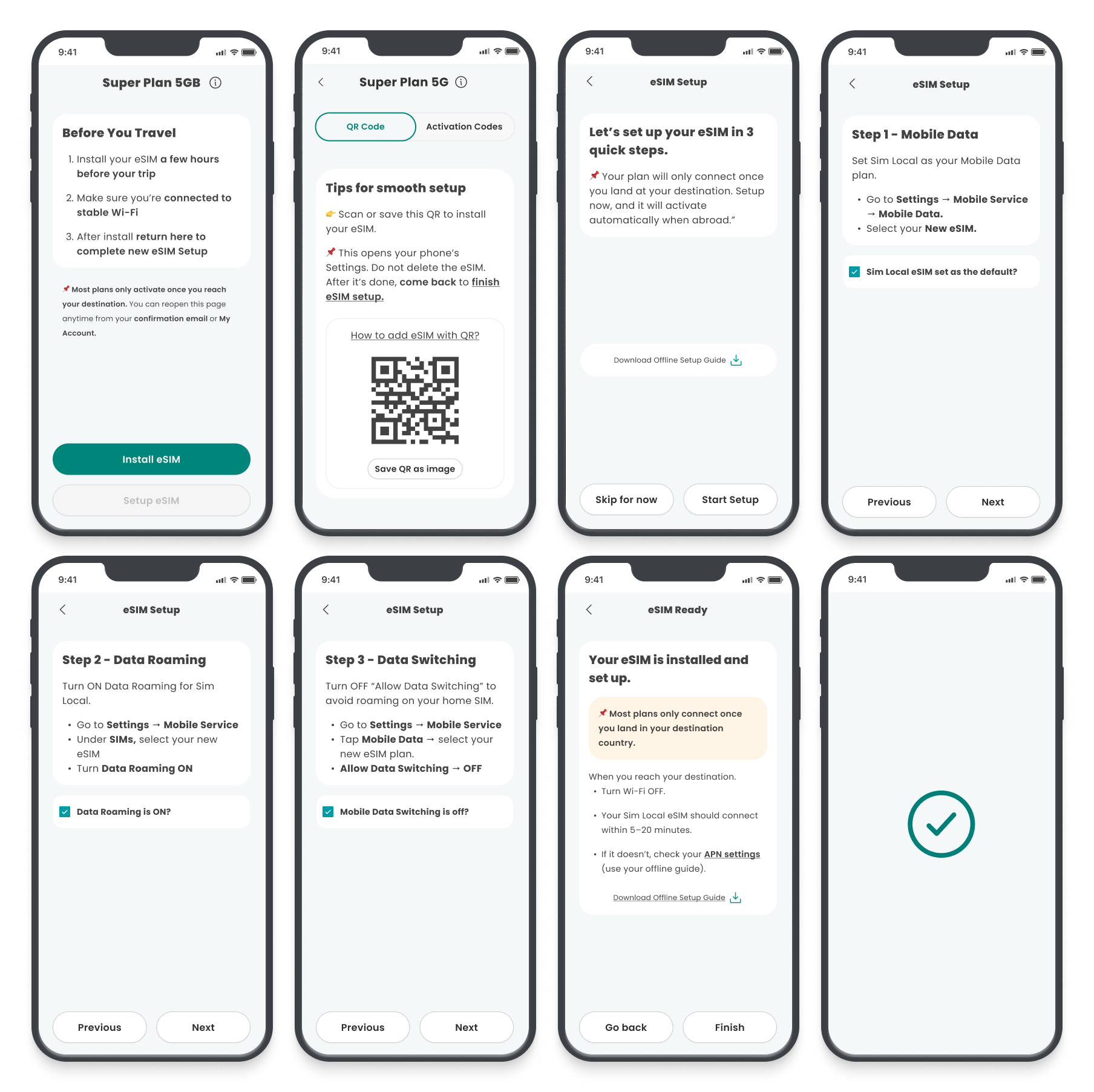
Prototype B introduced a structured step-by-step flow designed to guide first-time users through installation and configuration.
The goal was to understand whether speed or clarity had a greater impact on successful activation.
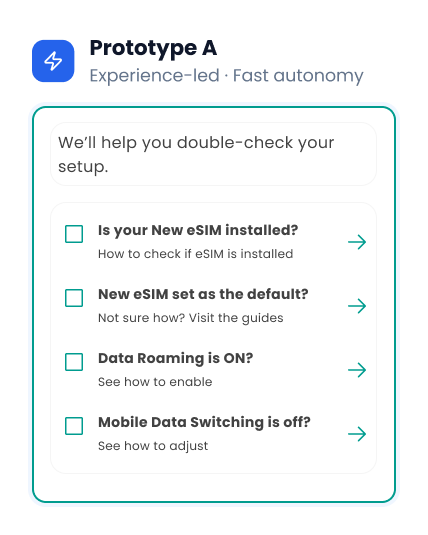
Experienced users prefer minimal guidance and will successfully activate without step-by-step instructions.
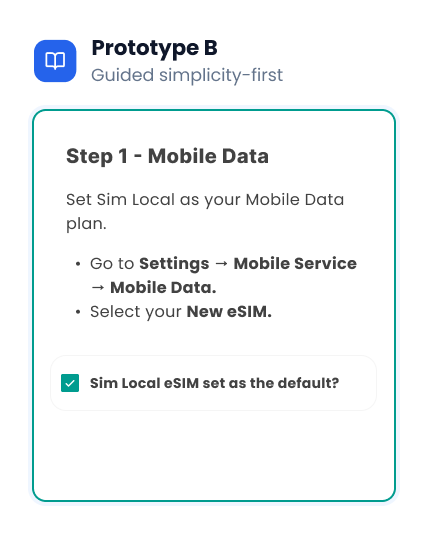
First-time users need explicit guidance to successfully navigate between the app and device settings.
06 /
Simulating Real-World Installation
Testing the installation experience required simulating interactions inside device settings.
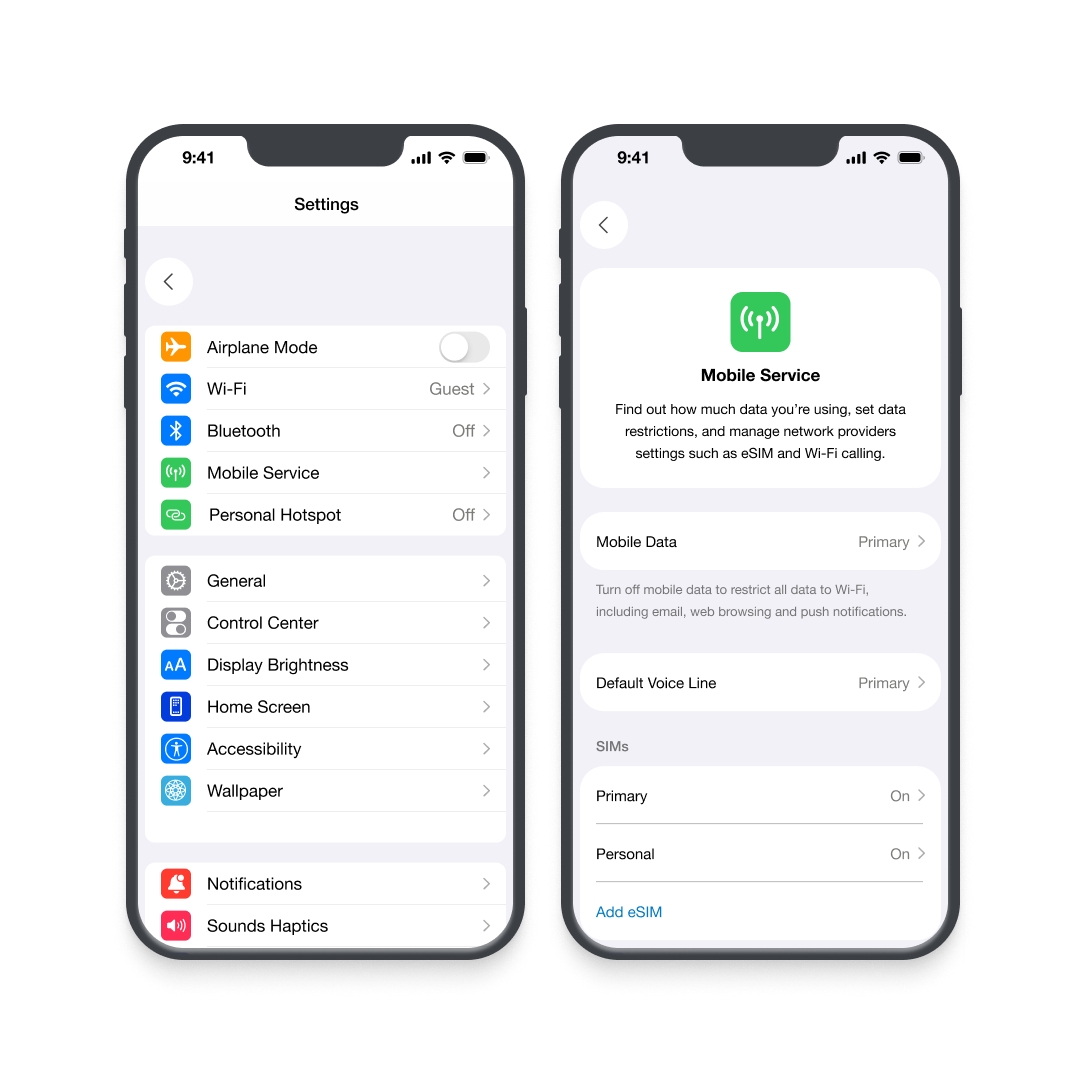
To recreate a realistic environment, I built a prototype of the iOS settings interface in Figma. This allowed users to navigate installation steps in a way that closely matched real-world behaviour.
Participants were then asked to complete activation tasks using Maze to capture navigation patterns and usability feedback.


07 /
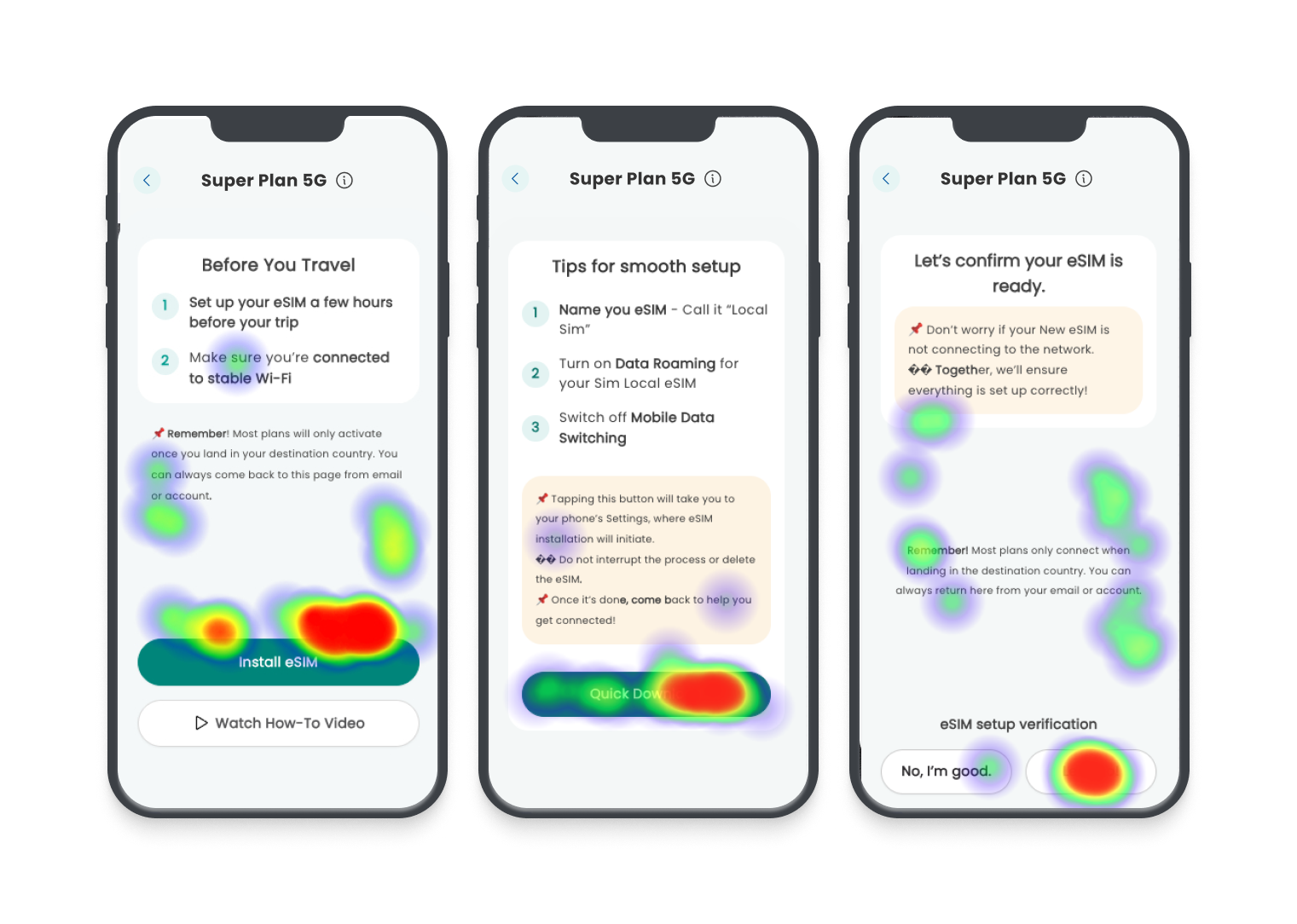
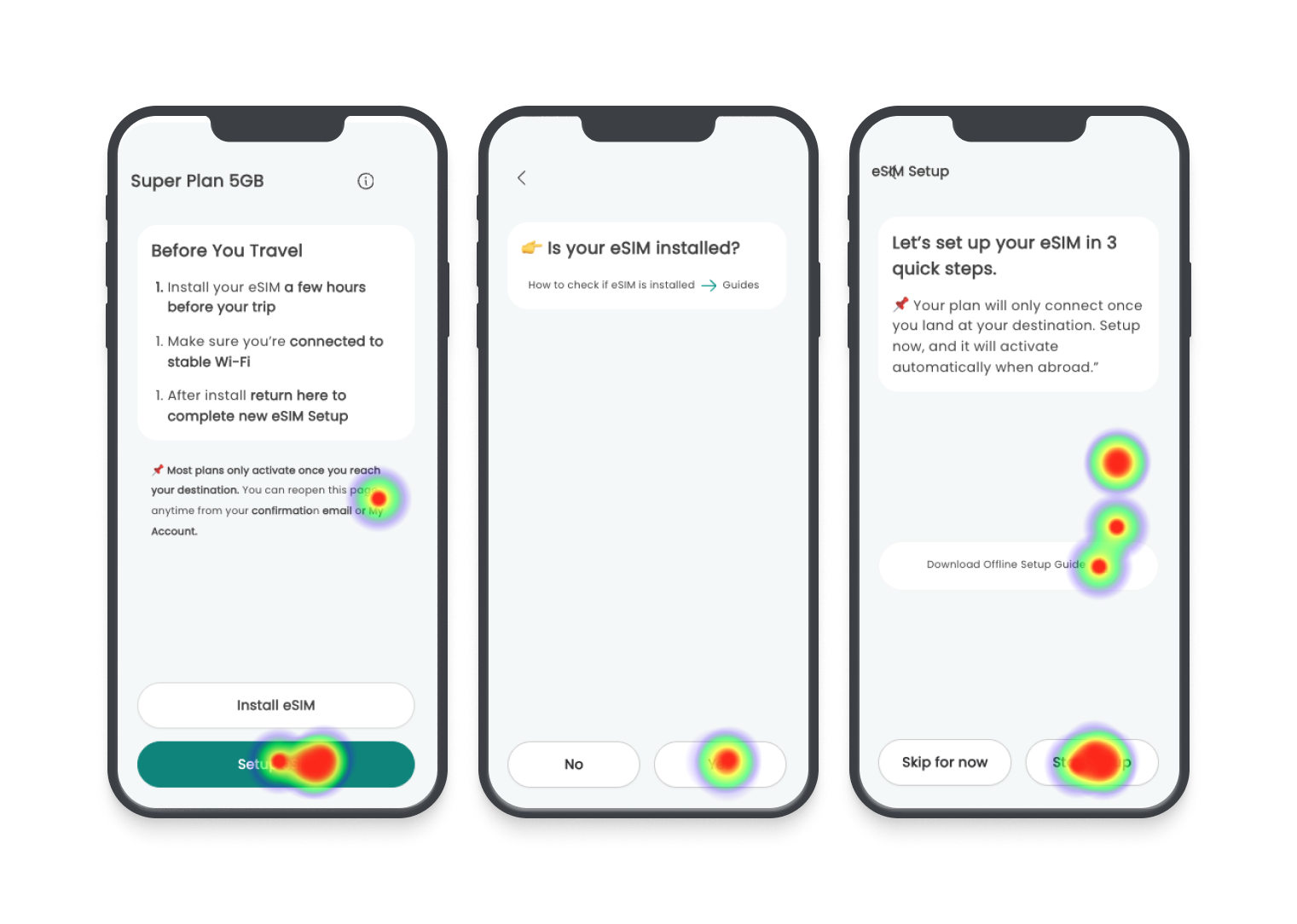
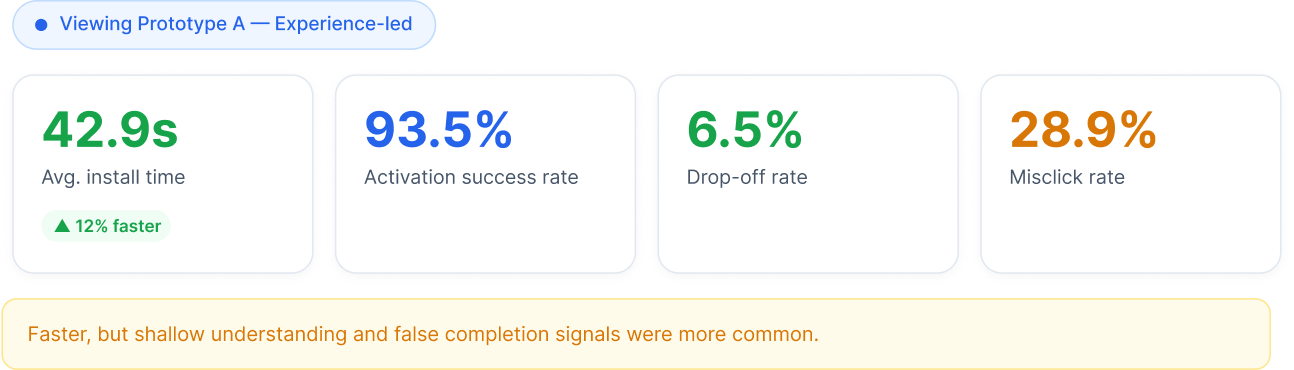
Prototype A: Fast but Shallow
Prototype A allowed users to move quickly through the instructions.
However, testing revealed that many participants believed the process was complete immediately after installing the eSIM profile.
This created a risk that users would stop before completing the necessary configuration steps.
Avg. Completion Time
42.9
seconds
Activation success rate
93.5%
completed all steps
Misclick rate
28.9%
on key actions
08 /
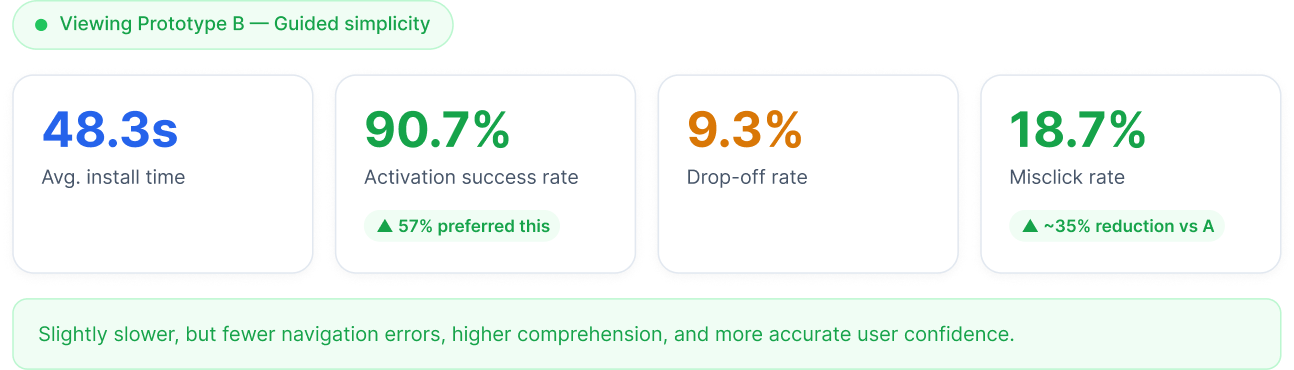
Prototype B: Slower but Clearer
Prototype B introduced a guided step-by-step experience that clearly separated installation from configuration.
Although it took slightly longer to complete, participants demonstrated a better understanding of what actions were required to successfully activate the eSIM.
Avg. Completion Time
42.9
seconds
Activation success rate
90.7%
completed all steps
Misclick rate
18.7%
on key actions
09 /
Completion ≠ Comprehension
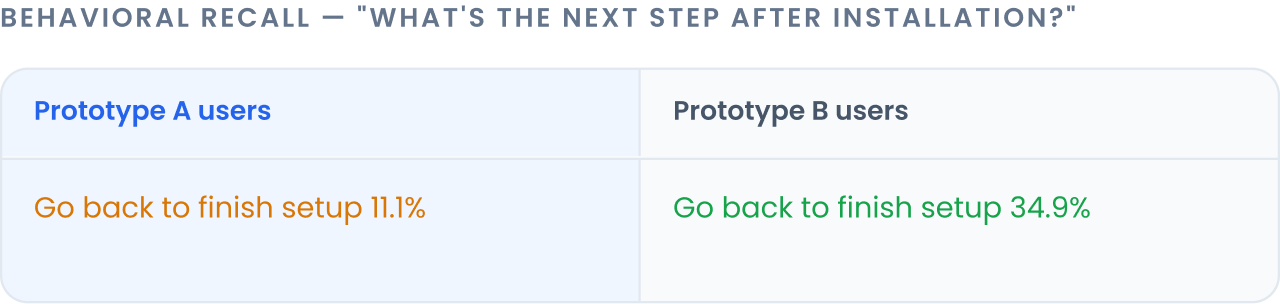
The experiment revealed an important insight.
Users in the faster prototype completed the process more quickly, but often misunderstood what needed to happen next.
The guided flow produced stronger comprehension and reduced the risk of misconfiguration.
10 /
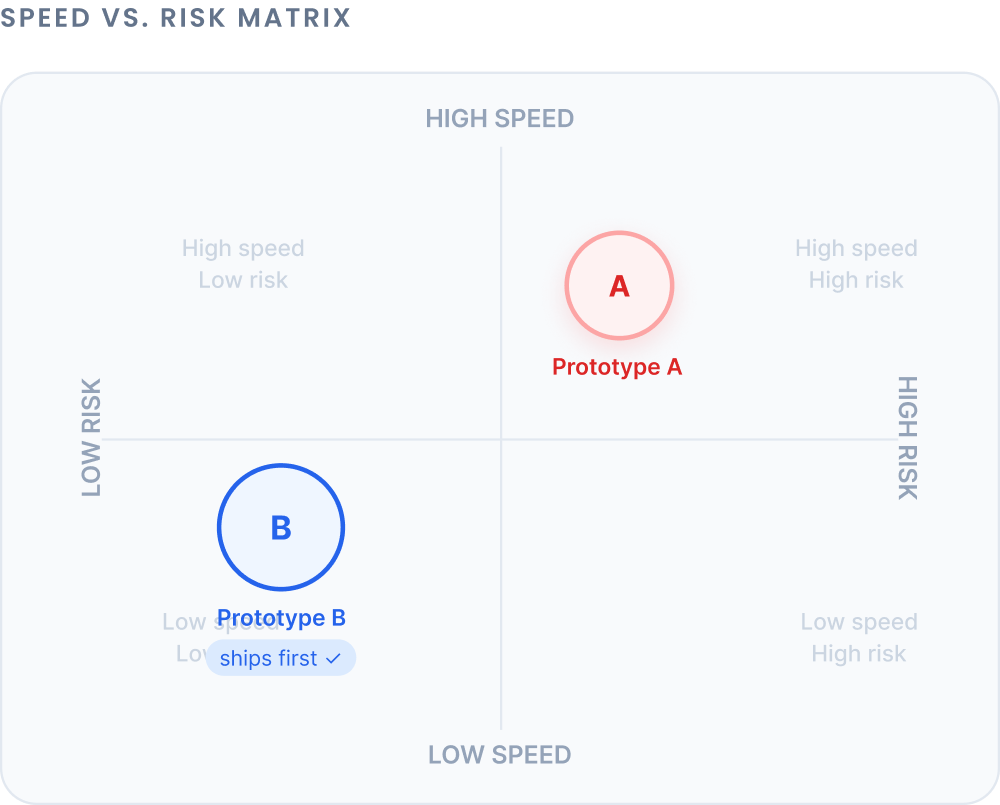
Speed vs Risk
At this stage, the design decision became a trade-off.
Prototype A was optimised for speed, but increased the risk of incorrect activation.
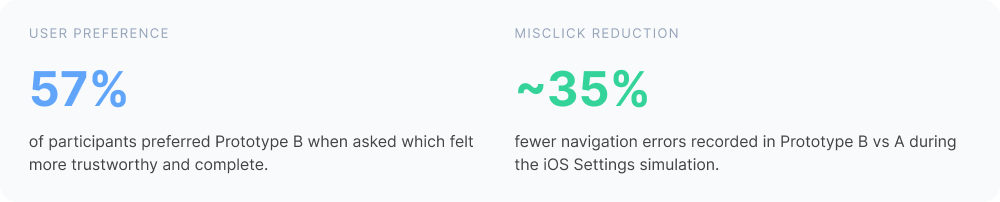
Prototype B required slightly more time but significantly reduced setup errors.
Because activation errors can lead to support requests and poor user experiences, reducing risk became the priority.
11 /
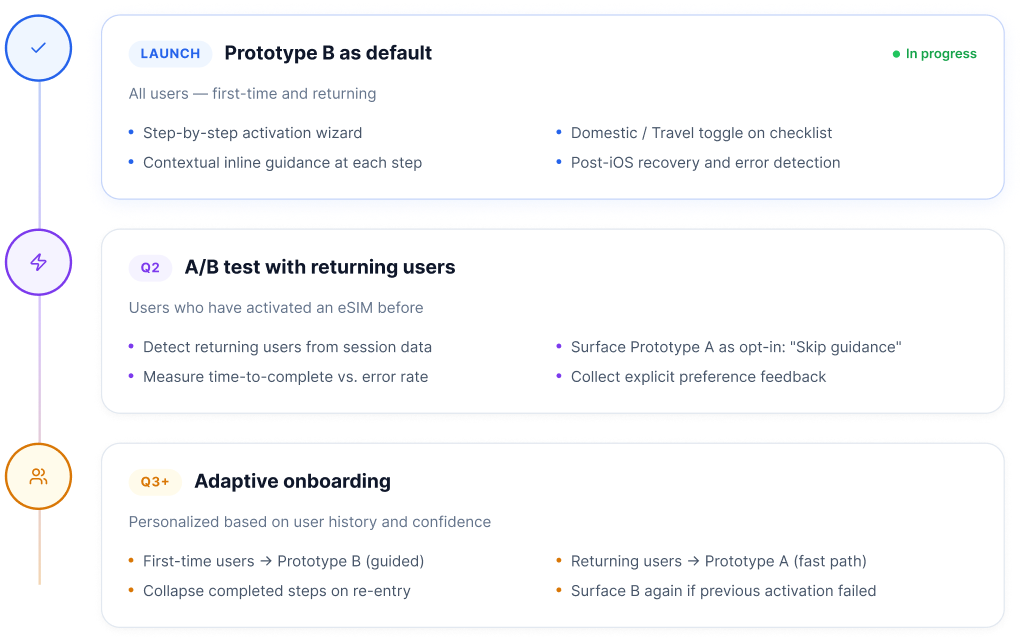
Adaptive Onboarding Strategy
The final design introduced a guided experience as the default activation flow.
However, experienced users may prefer a faster path. To accommodate this, the system could evolve toward adaptive onboarding, allowing returning users to skip guidance once they are familiar with the process.
12 /
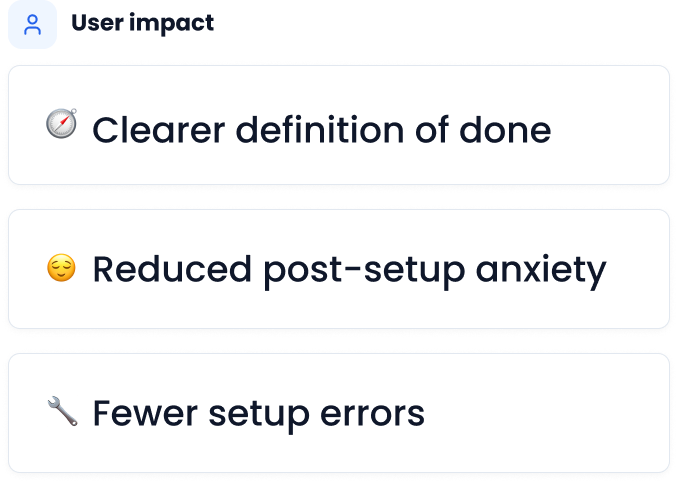
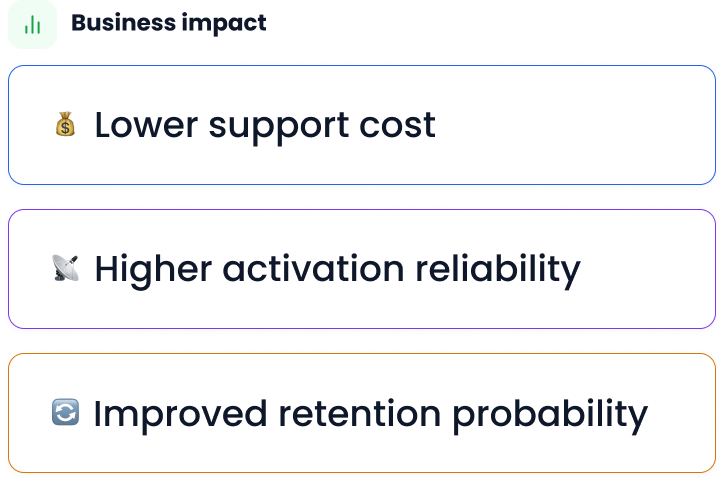
Impact on Users and Business
The redesigned activation flow improves clarity and reduces the likelihood of setup errors.
For users, this means greater confidence during installation.
For the business, clearer activation guidance can reduce support requests and improve the overall onboarding experience.
13 /
Measuring Success
To evaluate the effectiveness of the redesign, key metrics would include:
Activation Success Rate
Percentage of users who successfully connect to the network within 20 minutes of purchase
Target: > 90%
Time to First Connection
Average time between completing purchase and establishing first network connection
Target: < 10 minutes
Support Tickets
Volume of activation-related support inquiries per 1,000 purchases
Target: < 50 tickets
Flow Completion Rate
Percentage of users who complete all activation guidance steps
Target: > 85%
14 /
Designing Beyond the Interface
This project reinforced that some of the most critical user experiences occur outside the product interface.
Designing effective guidance requires understanding the full user journey, including the systems and environments users interact with beyond the product itself.